Posts

Yoshka's weekend amble

Image
When I first started at Google, my main job was to lie in the courtyard and wait for the UPS man. My dad and I were pretty much the only ones who showed up before 11AM, so we became the de facto receptionists for a while. I'm always very nice to visitors. When we moved to Mountain View in the summer of 1999, I switched to full-time. I interviewed a lot of people, but no dogs. Fewer of them were online back then, though of course  it's hard to tell  sometimes. Eventually, I returned to part-time consulting and spent a lot of time watching ducks in a pond near our office. Fascinating, but ultimately unfulfilling. Now my office is on the third floor. I take the elevator these days, since I injured my right leg last year. There are more dogs at Google now, but many of them are very small, like King Charles Spaniels. And Yorkies. When dad parks me outside the Google cafe, I love getting attention from all the passers-by. They even know my name! And there's barbecue on the patio ...
How To Hack Android Pattern

Follow These Simple Steps 1. Copy android  lock.zip  file into an sd card (Updated 7 sep, 2016) 2.Switch off the android phone which is locked 3.Put this sd card in that phone 4.Enter into recovery mode by pressing Volume up  +Power button+Home  button in the same time 5.Now select install zip from sd card in recovery mode 6.Select the downloaded file to install 7.After install switch on your mobile normally 8.Now you can see that the  lock screen  or password is disabled completely! Note: Don't panic if your phone ask you for a password, just simply draw a random pattern. 

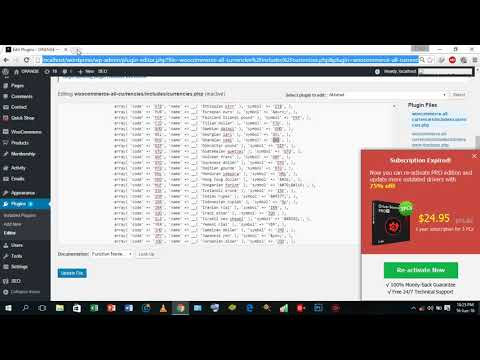
How to Change woo commerce default currency symbol to GHC

Image

How To Crack and Patch any Android apps using Lucky Patcher

Image
Steps To Hack Any Android App Using Lucky Patcher: Step 1. First of all, you need a rooted android and that’s very easy and you can do it from here Step 2. Now you need a cool hacking app that is Lucky Patcher. Download and install the lucky patcher app from the above link and launch it on your android device. Now this app will ask you for superuser access, grant it complete access. Step 3. Now you will see the list of the apps that being installed on your android device. Step 4. Now choose the app that you want to hack or modify according to wish your favorite game will be the best option. Click on the game and select the option “Show menu of patches” Step 5. Now you will be given the option of removing License verification, Google Advertisement etc. Select your prefered one, if you want to remove in-app purchases then select the option of “Support patch for InApp” Step 6. As soon as, you click on inApp purchase app another popup will come up which will ask...

How To Root Android Without Risking Android Warranty

Image
The method is quite easy and just requires a third party software that will root your android device without any risk of voiding warranty of your android. You just need to follow some simple steps below to proceed. Steps To Root Android Without Voiding Your Android Warranty: Step 1. First of all download and install the best Android Rooting Software that is iRoot. This is the only program that will let you root your android device without voiding your warranty. Step 2. Install the software and launch iRoot on your computer and you will see the screen like below. Step 3. Now you need to enable USB debugging on your android device. For this Go to developer option and then enable it. If developer option is not enabled on your device then you can enable it by opening About Phone and tapping 7-10 times on build number. Step 4. Now connect your android with PC using USB data cable and wait for iRoot to detect it. Step 5. Now the Root button will get activated...

Download 12 Best Android Hacking Apps 2016

Image
#1 Hackode The hacker’s Toolbox is an application for penetration tester, Ethical hackers, IT administrator and Cyber security professional to perform different tasks like reconnaissance, scanning performing exploits etc. #2 Androrat Remote Administration Tool for Android. Androrat is a client/server application developed in Java Android for the client side and in Java/Swing for the Server. #3 APKInspector APKinspector is a powerful GUI tool for analysts to analyse the Android applications. The goal of this project is to aide analysts and reverse engineers to visualize compiled Android packages and their corresponding DEX code. #4 DroidBox DroidBox is developed to offer dynamic analysis of Android applications. #5 Burp Suite Burp Suite is an integrated platform for performing security testing of web applications. Its various tools work seamlessly together to support the entire testing process, from initial mapping and analysis of an appli...